
Google Search Console Indexing Errors: What to Fix and What to Ignore
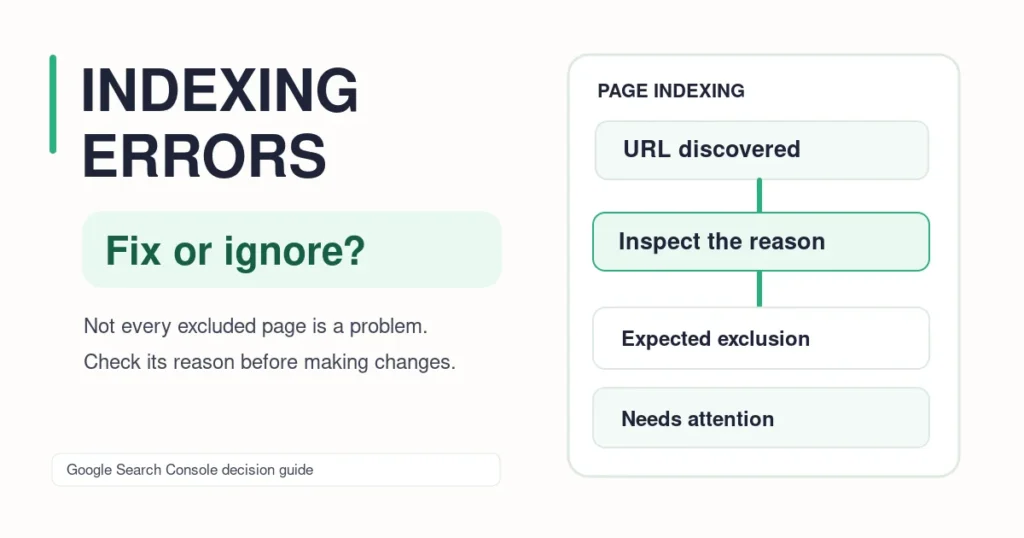
Quick answer: A page marked Not indexed in Google Search Console is not automatically broken. First ask whether that exact URL should appear in Google Search. Then open Indexing → Pages, check the reported reason, and inspect an affected URL. Fix problems that keep important pages out of the index. Leave intentional redirects, duplicates, and noindex pages alone.
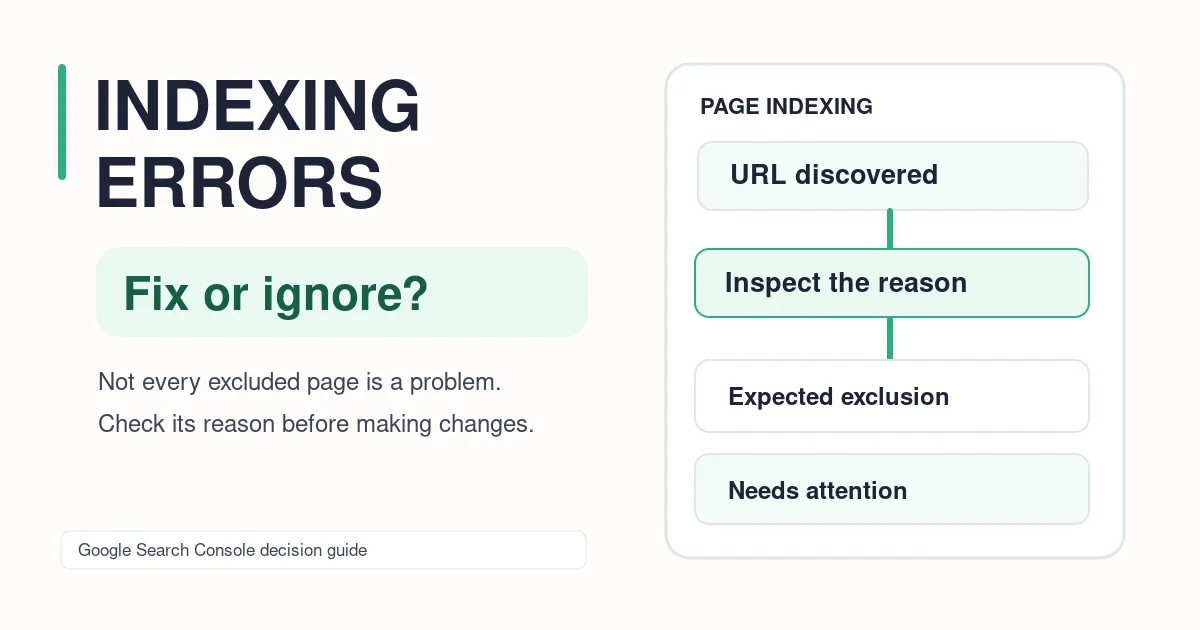
You can use this guide even if Search Console shows dozens or thousands of excluded URLs. The number alone does not tell you whether your website has a problem.
In five minutes, you can: identify your first important missing URL, read its status, decide whether it needs action, and record what to verify next.
Jump to: Find the problem · Status table · URL Inspection · Diagnostic worksheet · When to wait
Find the problem before changing anything
Open Google Search Console, select the correct website property, then choose Indexing → Pages. Scroll to Why pages aren’t indexed.
Click a reason to see example affected URLs. Choose one that matters to your business, such as a main service page or a useful article. If an old redirected URL or tracking parameter is listed, that may be completely normal.
Use this short decision table first:
| What you see | First thing to check | Typical next move |
|---|---|---|
| An important live service page is Excluded by ‘noindex’ tag | Does its HTML or HTTP response tell Google not to index it? | If accidental, remove the directive and test again. |
| A recently published article is Discovered – currently not indexed | Can Google find it through useful internal links and the sitemap? | Check discovery and access, then allow time. |
| A useful article is Crawled – currently not indexed | Is it substantially different from similar pages? | Review its purpose, quality, duplication and crawl signals. |
| An old URL is Page with redirect | Does it redirect to the right replacement? | Leave it alone if intentional. |
| A parameter URL is Alternate page with proper canonical tag | Is the chosen main URL correct? | Usually no change. |
| Many important pages show Server error (5xx) | Can the server reliably return the pages? | Investigate hosting, application or CDN problems promptly. |
A warning about the word “error”: Search Console groups many different reasons under Not indexed. Some represent faults. Others simply describe URLs Google does not need in its index. Google recommends focusing on the canonical version of important pages, not chasing a 100% indexing rate. Source: Google’s Page indexing report help.
Understand the four stages without the jargon
A URL may be known to Google without being crawled. It may be crawled without being indexed. And it may be indexed without appearing high enough in search results for you to notice it.
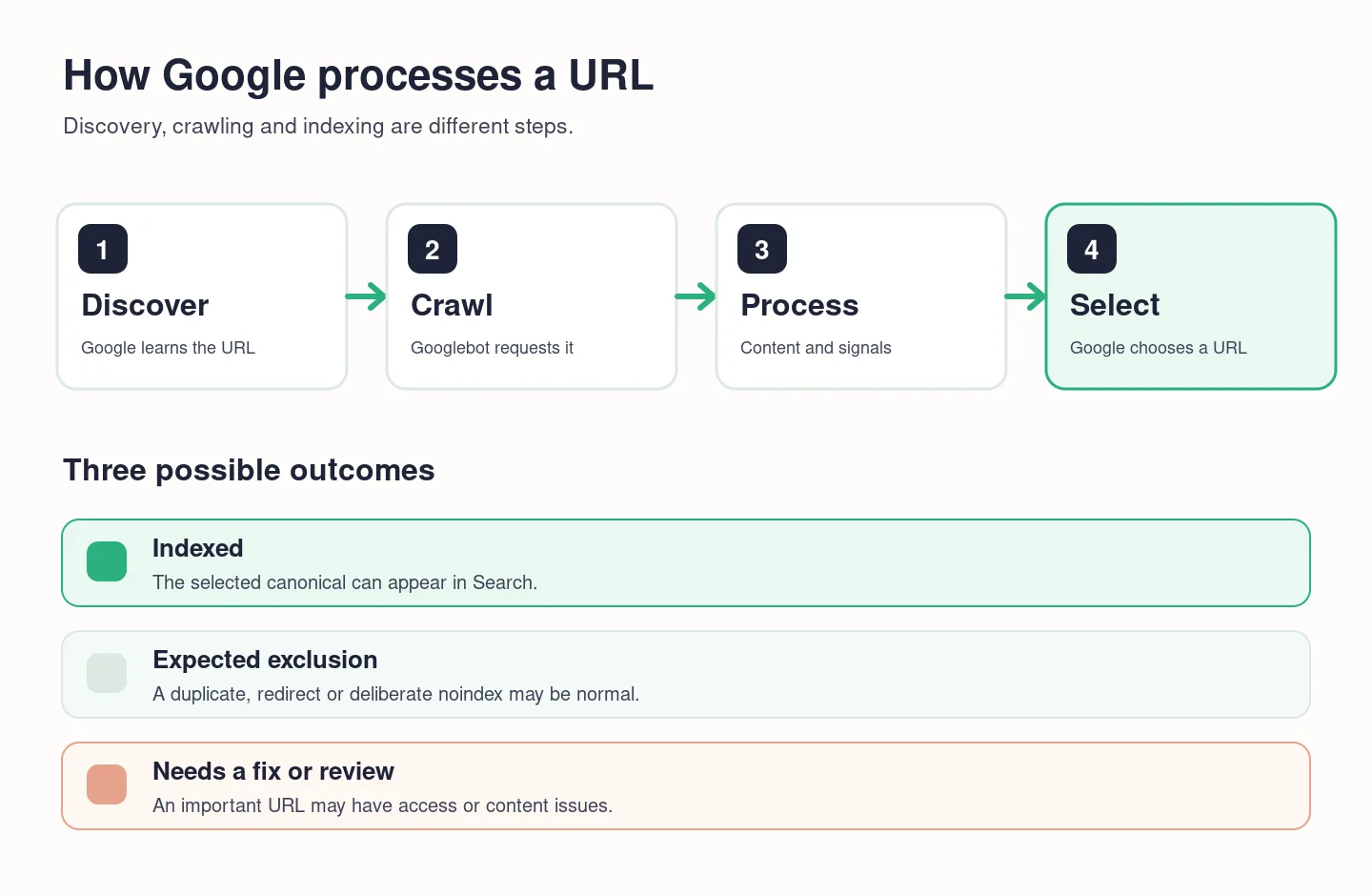
Original diagram. This explains the process; it is not a screenshot from your Search Console account.
- Discovery. Google learns that a URL exists from a link, sitemap or another signal. This does not mean it has visited the page.
- Crawling. Googlebot requests a URL. Redirects, server failures, robots rules and access restrictions can affect what it retrieves.
- Processing and indexing. Google examines the response, directives and content. A successfully fetched page is not automatically added to the index.
- Canonical selection. When versions overlap, Google selects a representative URL. The duplicates may stay out of the index, even if they load perfectly.
Once indexed, the chosen page is eligible to appear in Search. That still does not guarantee a particular ranking or impression. Google explains these steps in How Search works.
Status table: which pages actually need attention?
The labels below are common reasons shown in the Page indexing report. Google can change its interface, so verify the current wording in your own property. The action depends on whether the URL was meant to be in search results.
Access and server problems
| Search Console status | What it usually tells you | Check and action | When not to fix it |
|---|---|---|---|
| Server error (5xx) | Google encountered a server problem while requesting the URL. | Test the response, server logs, uptime, caching or CDN rules. Repair recurring failures for important pages. | If an old one-off fault is gone, first confirm current availability and observe. |
| Redirect error | Google could not follow the redirect as expected. | Look for loops, overly long chains and broken destinations. Keep a clear redirect to the intended live URL. | A normal Page with redirect status is different and may be expected. |
| Blocked by robots.txt | A robots rule stopped Googlebot from crawling this URL. | Check the current robots rule and whether the URL should be public. Remove an accidental block only for URLs you want crawled. | Keep an intentional crawl restriction if it serves a valid purpose. Robots blocking is not a reliable way to keep a URL out of Search. |
| Excluded by ‘noindex’ tag | Google found an instruction not to index the page. | Check the HTML robots meta tag and X-Robots-Tag HTTP header. Remove an accidental directive and verify the change. |
Leave the directive for thank-you, private or low-value pages that should not appear in search. |
| Not found (404) | The requested URL is missing. | Restore the page if it should exist, or use a relevant redirect if it has a real replacement. Fix broken internal links. | A genuine retired URL with no replacement can correctly remain 404. |
| Soft 404 | A page looks missing or empty although the server might not return a proper 404. | Check whether the page has useful content and the correct HTTP status. Return a real 404 or 410 for genuinely removed content. | Do not turn every intentionally removed URL into a new article. |
Do not edit robots.txt, server redirects or sitewide indexing settings based only on one report row. A bad change can affect more pages than the one you intended to fix. Make a backup, test on staging when possible, and record a rollback plan.
Duplicates and intentional exclusions
| Search Console status | What it means | Check and action | When no action is needed |
|---|---|---|---|
| Page with redirect | Google encountered a redirect. | Open the target and confirm it is relevant and works. | The redirect is intentional and reaches the right page. |
| Alternate page with proper canonical tag | Another version is identified as the main page. | Inspect the declared and Google-selected canonicals. | The preferred main version is correct. |
| Duplicate without user-selected canonical | Google found a duplicate without a clear declared canonical. | Decide which URL should represent the content. Consider consistent internal links, canonical signals or redirects where appropriate. | Google selected the version you intended and both pages are not meant to rank separately. |
| Duplicate, Google chose different canonical than user | Google chose another canonical instead of the one you declared. | Compare pages and signals, then decide which URL truly serves users best. | Google’s selected version is actually the better main page. |
A canonical tag is a signal, not an instruction that Google must follow. Two nearly identical URLs should not be forced to compete in search just to raise your indexed count. See Google’s canonical troubleshooting guide.
Pages Google knows about but has not indexed
Discovered – currently not indexed means Google knows the URL but has not crawled it yet. Start by confirming that the URL returns the intended page, appears in a useful internal link path and belongs in your XML sitemap if it is a canonical page you want indexed. Check whether many similar URLs are being generated. One recently discovered URL may simply need time.
Crawled – currently not indexed means Google crawled the URL but has not added it to the index. This status does not give you one precise technical cause. The page could be too similar to another URL, lack a clear purpose, have rendering or processing issues, or simply not have been selected for indexing. Inspect the page and compare it with related pages before editing it. Do not assume that adding more words or repeatedly requesting indexing will fix it.
The phrase currently matters. These labels describe Google’s reported state, not a permanent verdict. Even where live tests show that Google can access a URL, Google may decide not to index it.
Use URL Inspection without misreading it
From the Page indexing report, open one affected URL in the URL Inspection tool. You can also paste the full URL into the inspection box at the top of Search Console.
Check these details in order:
- Is this the exact intended URL? Make sure you are inspecting the final HTTPS address, not an old slug, a tracking parameter or an unintended variant.
- Page indexing verdict. Is the URL reported as indexed, not indexed, or a duplicate? Open the detail to see the reason.
- Last crawl and page fetch. Check when Google last fetched the page and whether fetching succeeded.
- Indexing allowed? Look for restrictions such as
noindexif they apply. - User-declared canonical and Google-selected canonical. If Google chose a different page, inspect that page before attempting to override Google’s decision.
- Referring pages and sitemaps. These fields can help with discovery, but missing data does not prove there are no links.
Now use Test Live URL when you need to see whether the current page is accessible. It is useful after you fix a server response or remove a noindex directive.
Do not confuse a successful live test with proof of indexing. The live test does not reproduce every stage of Google’s indexing system. In particular, it does not tell you what Google will ultimately choose as its canonical or guarantee that a page will be indexed. Google’s URL Inspection documentation explains this distinction.
Keep a record before you change anything
Save a screenshot of your Page indexing overview, the specific reason and the URL Inspection details for an affected page. Note the date, the exact URL and what you changed. If you share screenshots for help, hide private property information and customer details. These records make it easier to check whether the change actually helped.
A practical indexing diagnostic worksheet
Illustrative example. This is a teaching worksheet using fictional URL patterns. It is not data from SureshSEO.in or a client website. You can copy the columns into a spreadsheet and replace the examples with your own export.
| Sample URL or status | Evidence to collect | Possible explanation | Next action | Do nothing when… |
|---|---|---|---|---|
/services/ · Excluded by ‘noindex’ tag |
HTTP response, HTML tag, URL Inspection | A noindex directive may be set accidentally | Remove it only if this service page should be indexed; retest | The page was deliberately excluded |
/old-service/ · Page with redirect |
Redirect chain, final destination | An old address now points to a replacement | Confirm the destination works | The redirect is correct |
/?utm_source=mail · Alternate page with proper canonical tag |
Canonical field, parameter behaviour | Tracking version of the homepage | Confirm main homepage is canonical | The main URL is correct |
/blog/new-guide/ · Discovered – currently not indexed |
Publication date, sitemap, internal links | Google knows the URL but has not crawled it | Improve discoverability if weak; monitor | The guide is new, accessible and reasonably linked |
/blog/overlapping-guide/ · Crawled – currently not indexed |
Article comparison, rendered content, canonical | Too much overlap with another guide is one possibility | Decide whether to improve, merge or leave it | It is intentionally not a distinct search destination |
/pricing/ · Server error (5xx) |
Server logs, repeated status tests | Hosting or application failure | Repair the response and verify stability | A transient fault is already resolved and remains stable |
/removed-page/ · Not found (404) |
Internal links, replacement check | Content was removed | Fix live links; redirect only if a relevant replacement exists | The removed URL should stay gone |
/guide/?print=1 · Duplicate, Google chose different canonical than user |
Google-selected canonical, page content | Google’s preferred version differs | Compare versions and consolidate signals if necessary | Google picked the proper main page |
The worksheet works best when you add three columns of your own: Owner, Priority and Checked again on. Don’t fill those using a guess. And don’t mark something fixed until the response and Search Console data support it.
Decide which fixes matter most
An indexing report with 300 excluded URLs can be less urgent than one with three broken service pages. Sort by importance before sorting by count.
First: address widespread server failures, accidental noindex rules or crawl restrictions affecting live, important URLs. Look for a shared page template, plugin setting, server rule or CDN configuration. A single template fault can explain many affected pages.
Next: review important pages that Google knows about but has not indexed. Compare their content with the canonical pages and ask whether a visitor gains anything distinct. Check internal links and sitemap inclusion if discovery is the issue.
Finally: document expected exclusions such as redirects, duplicates, some filtered URLs and deliberately noindexed pages. Keeping them in the report is not itself an SEO failure.
A simple working priority is business importance × affected page scope × confidence in the diagnosis. That is an editorial triage method, not a Google metric. It prevents hours of work on URLs that never needed to appear in search.
If your page is technically indexable but unclear or poorly structured, start with useful page-level improvements. SureshSEO has a guide to important on-page SEO elements and a free on-page SEO checker. Those resources can help review page elements, but they do not tell you whether Google indexed a URL.
When to validate, recheck or wait
After making a real fix, confirm the live page first. For example, if the problem was an accidental noindex tag, inspect the current HTML and response header to make sure it is gone.
Then return to Search Console. The report may offer Validate Fix for a particular issue. Use that feature when it applies, but remember it checks Google’s reported issue. It is not a button that forces Google to index every URL.
For a specific updated page, you can also use URL Inspection and Request Indexing where available. Google says crawling may take several days to several weeks, and a request does not guarantee inclusion. Repeated requests for an unchanged URL do not create a shortcut. See Google’s recrawl guidance.
How to tell whether work helped:
- The important URL now returns the intended HTTP response and correct indexing directives.
- URL Inspection eventually shows updated crawl and indexing information.
- The affected report trend changes after Google processes the issue.
- The canonical version of the important page becomes indexed, where appropriate.
If the last crawl shown in Search Console predates your change, avoid concluding that the fix failed. Google’s report may not yet reflect the new page.
Follow this decision tree for one URL
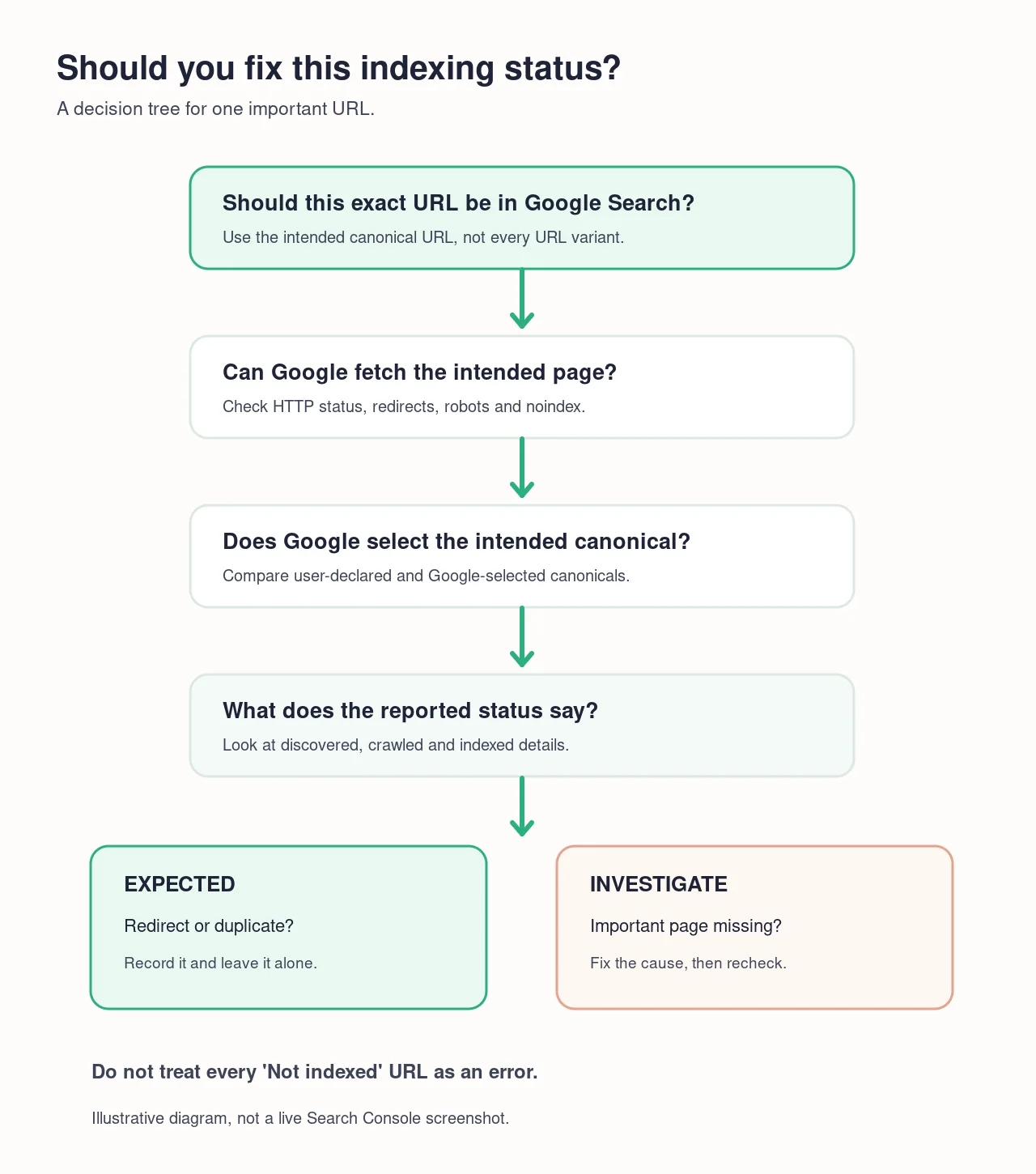
Original decision tree. Open the image at full size if you’re reading on a small screen.
The text version is simple: Should this exact URL be searchable? If no, document why. If yes, check access, noindex and redirects. Then compare the declared and Google-selected canonical. Only after those checks should you investigate the reported discovered or crawled status.
When to ask for technical help
Escalate when a group of important pages suddenly returns server errors, live pages start redirecting to unrelated destinations, sitewide robots or noindex rules change unexpectedly, or Google consistently chooses the wrong canonical across a page template. Gather affected URLs, responses, the change history and Search Console screenshots before anyone edits the server or plugins.
If there are no obvious technical barriers and a useful page remains out of the index, review whether the content offers a distinct reason to exist. It is possible to have a technically valid page that Google does not choose to index.
The one thing to remember
Not indexed is a report state, not a universal instruction to fix every URL. Pick an important page. Read its exact reason. Check the actual evidence. Repair what is wrong, and leave intentional exclusions alone.